Free on Google Play · v1.3.0
Har rupaye ka hisab, in your pocket.
Hisabkiya is a free income and expense tracker app for Android, made for India. Install it from Google Play (Android 7.0 or newer), sign in with Google, and log spends, income and udhaar in English, Hindi or Gujarati. Your records are saved in your own Google Drive, so the app and hisabkiya.in show the same hisab.


Scan the code with your phone camera
Free · Android 7.0 and up · no ads · no SMS access
iPhone or computer? Use it in your browser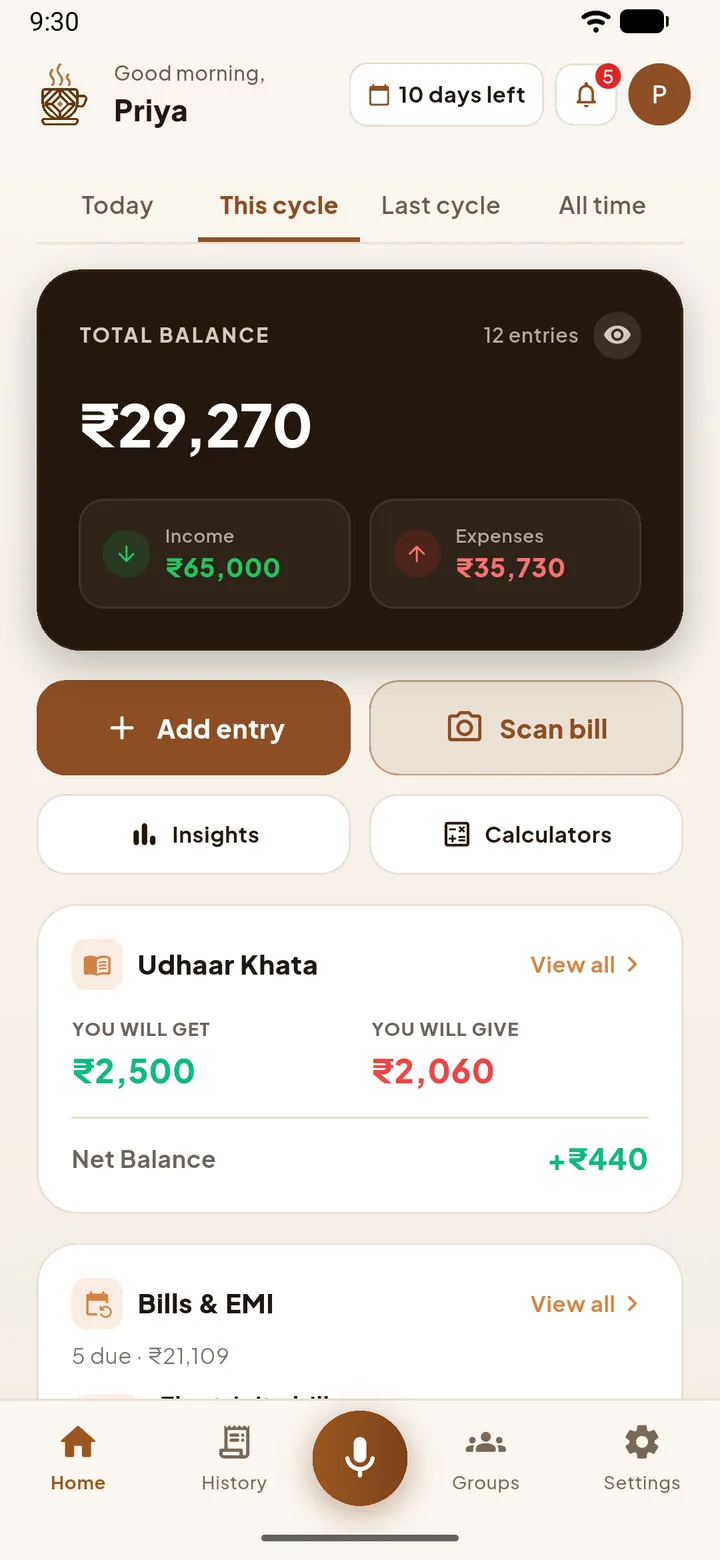
See the app
Real screens from the app, with sample entries.
Home
Balance, income and spend this cycle, your khata and bills due.
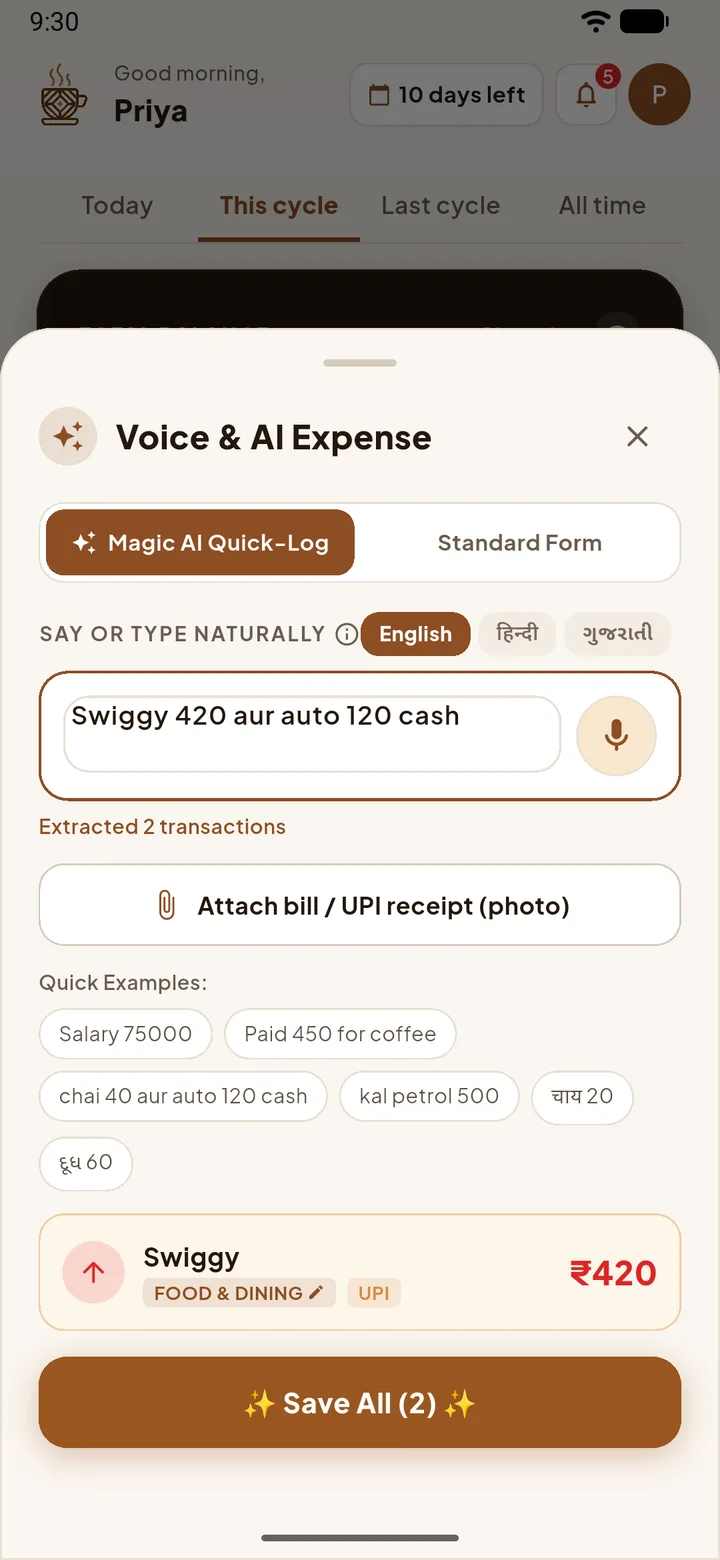
Say it or type it
“Swiggy 420 aur auto 120” becomes two entries (AI quick-log, Pro).
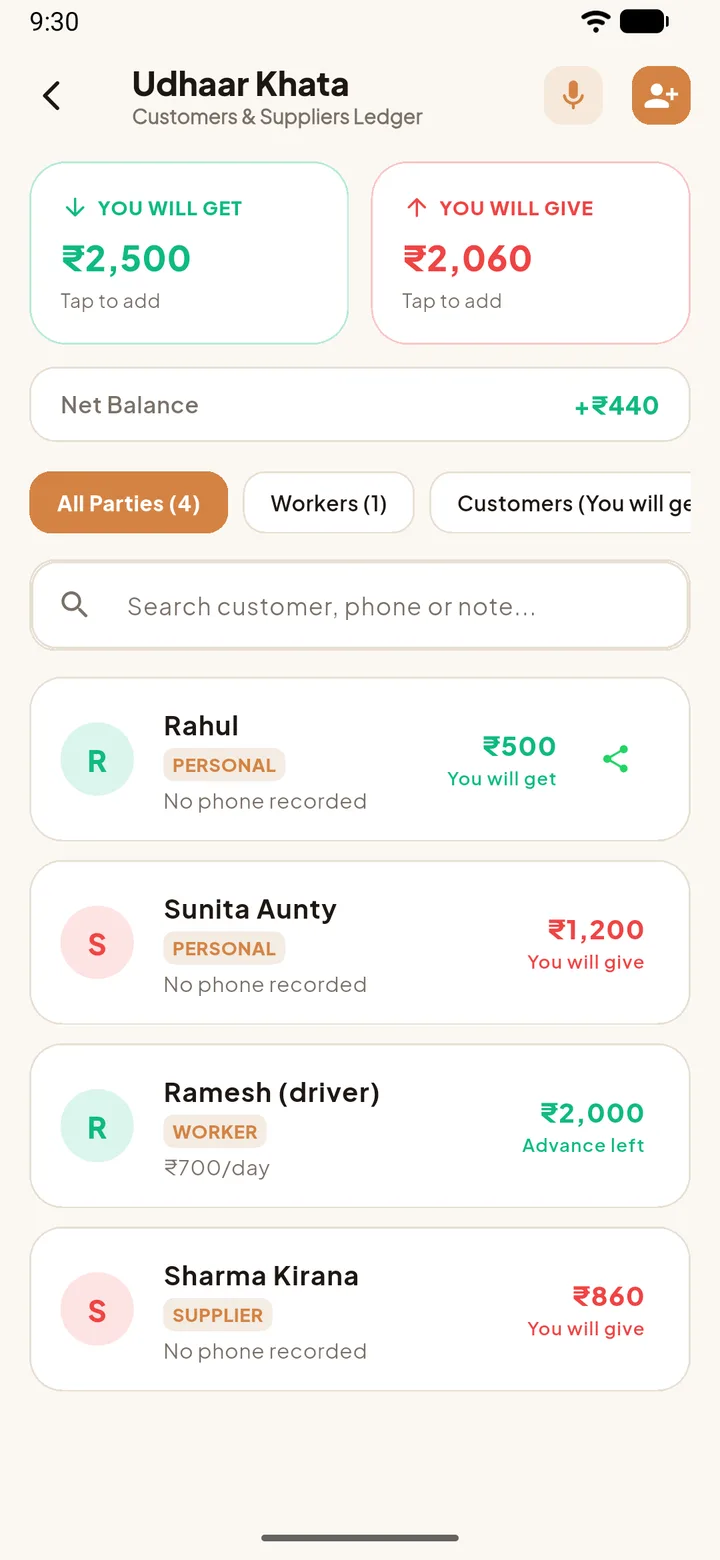
Udhaar khata
Friends, suppliers and workers, with what each owes.
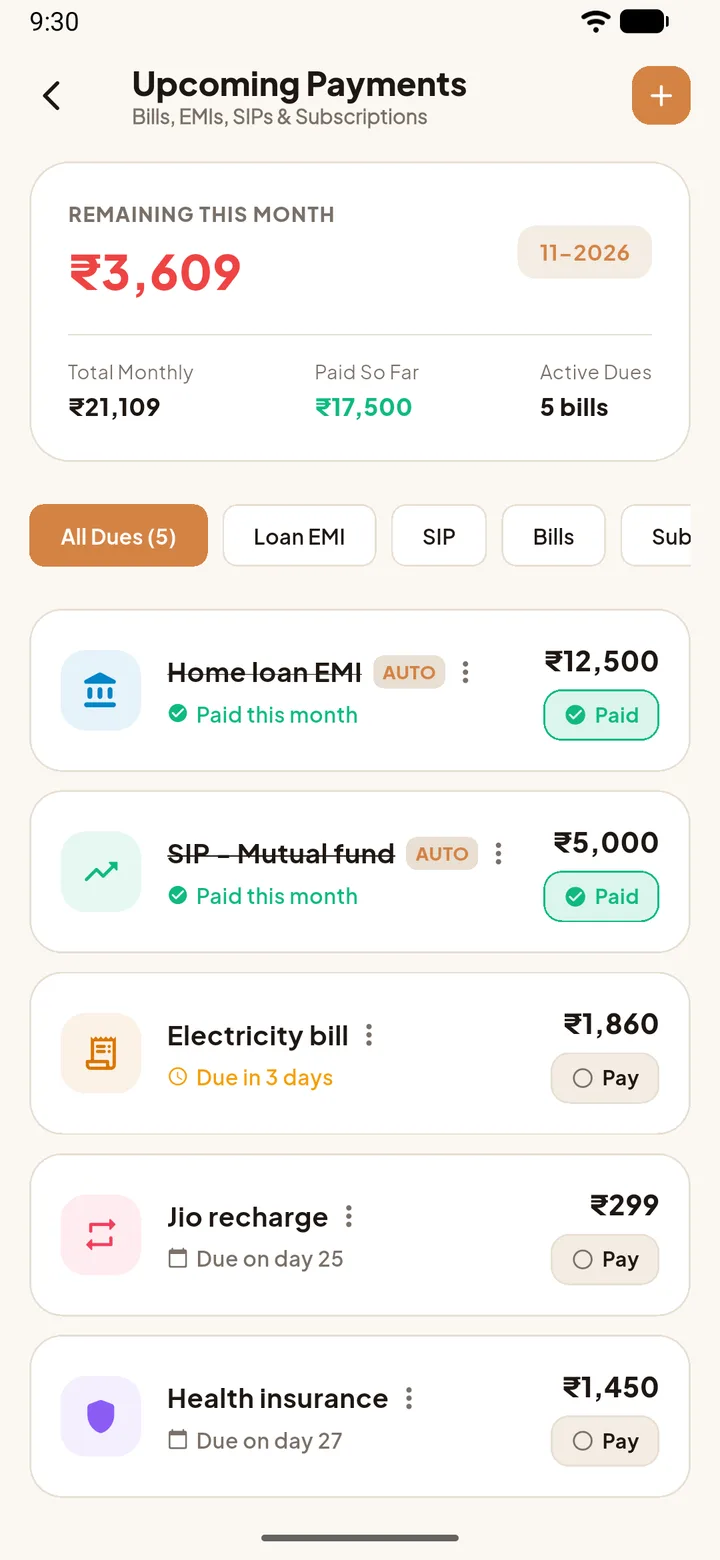
EMIs & bills
What’s paid, what’s due, and a reminder before each one.
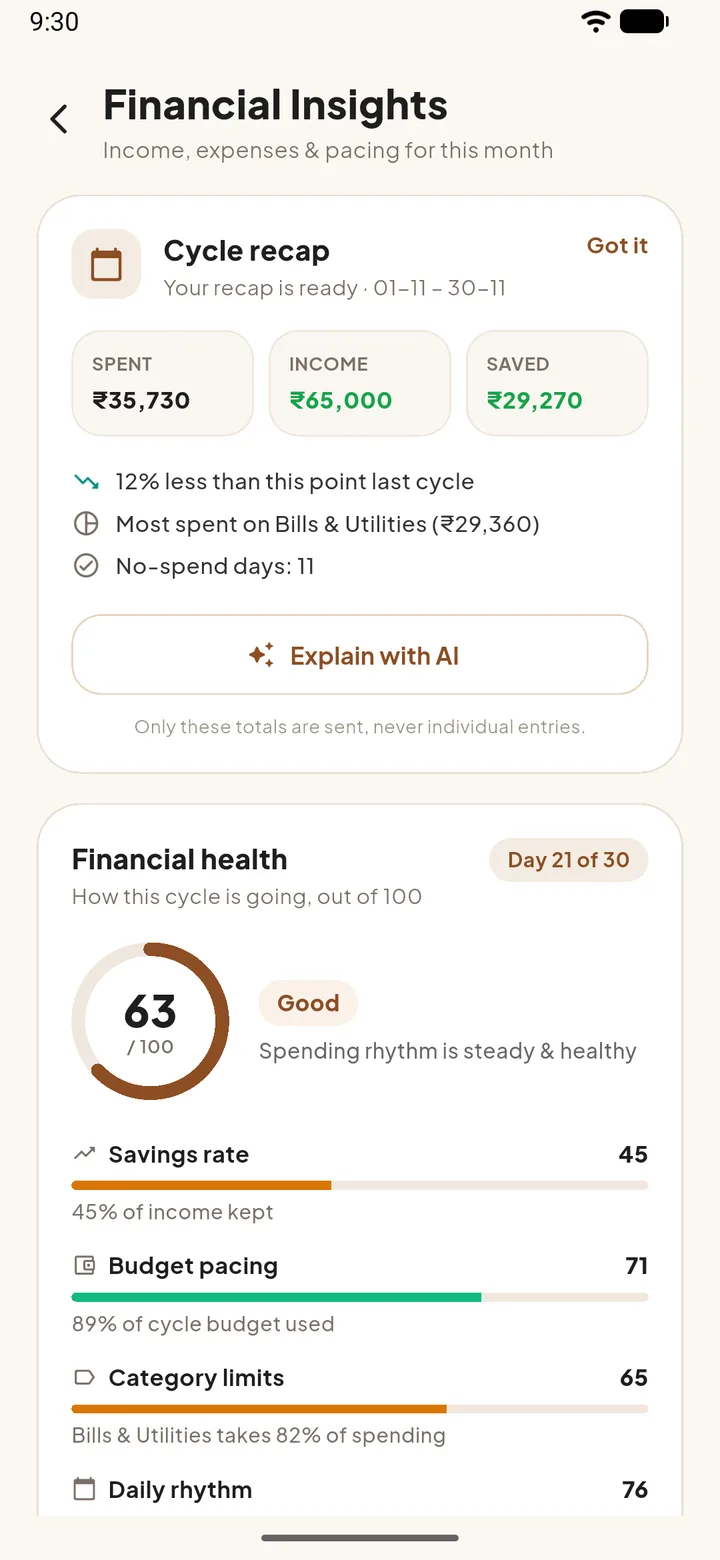
Insights
Cycle recap, savings rate and a health score out of 100.
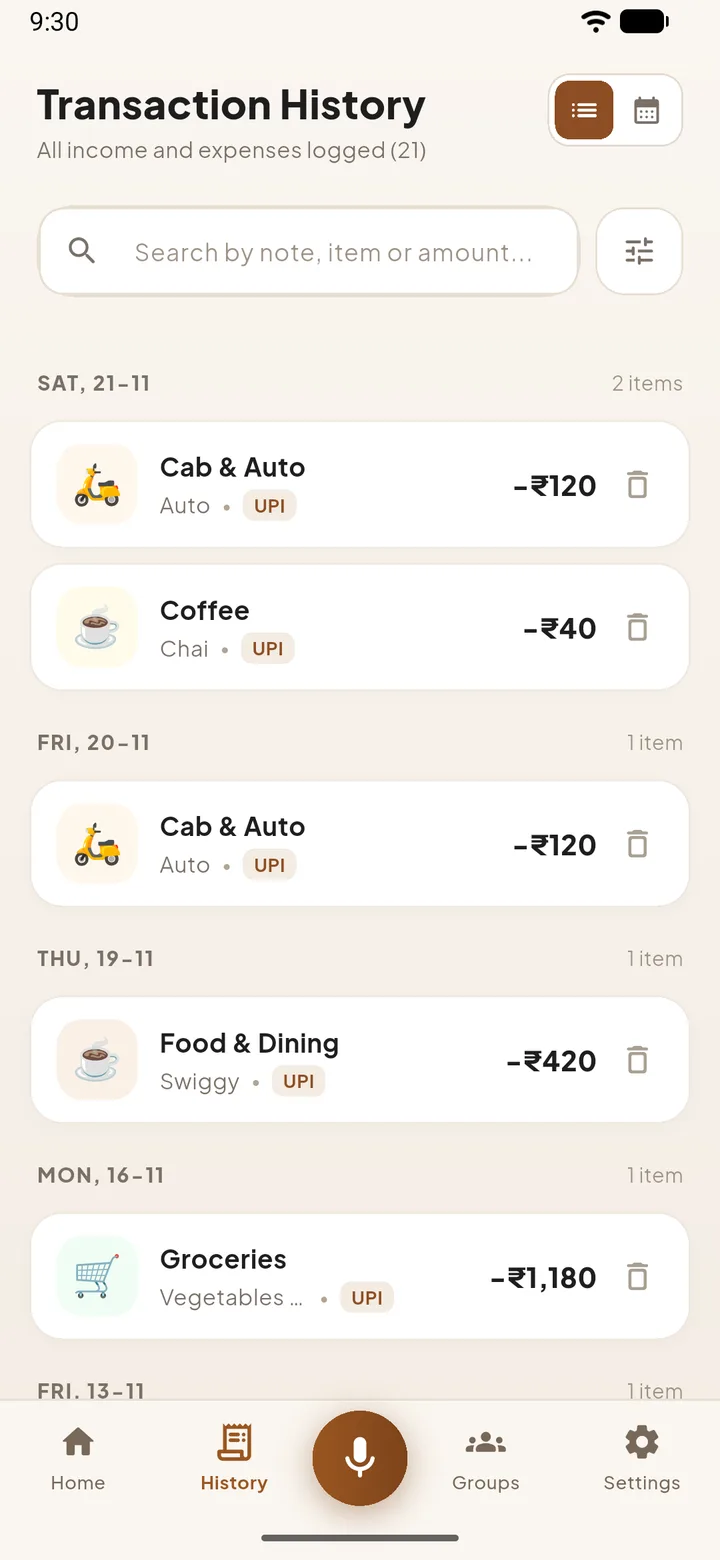
History
Every entry by date, with search and filters.
Made for how India keeps hisab
Salary dates, EMIs, udhaar and chai money, in the language you think in.
Reminders that reach your phone
A notification before every loan EMI, SIP, insurance premium and bill, and a budget alert at 80% and 100%.
Home-screen widget
Today’s spend and a mic button on your home screen. Long-press the icon for Speak, Add or Khata.
Udhaar khata and worker wages
Track money with friends, customers and suppliers, and pay workers with advances cut from wages.
Speak in Hindi or English
“Chai 40 aur auto 120” becomes two entries. Voice from the + button comes with Pro; typing is always free.
Budget by salary date
Start your month on the day your salary comes, from the 1st to the 28th, and see what’s safe to spend.
Scan bills
Photograph a bill or UPI screenshot and the amount is read for you (with your own free AI key).
Family and groups
One family book on everyone’s own Google account, and group bills split with friends.
Tax Vault
Form 16, AIS, rent receipts and ITR proofs by financial year, in your own Google Drive.
English, हिन्दी, ગુજરાતી
The whole app in English, Hindi or Gujarati. Switch any time in Settings.
Phone and web, one hisab
Add a spend on your phone in the shop, check the month on your laptop at night. The app and hisabkiya.in read the same file in your Google Drive, so entries, khata, budgets and reminders match everywhere you sign in.
Private by design
- Never asks for SMS access and never links your bank
- Your records live in a private file in your own Google Drive
- Fingerprint or PIN lock; balances hidden in recent apps
- Data on the phone is encrypted with the Android Keystore
Start in a minute
Install from Google Play
Tap “Get it on Google Play” on your phone, or scan the QR code from a computer. It’s free and works on Android 7.0 and newer.
Sign in with Google
Use the same Google account as on hisabkiya.in. Your entries, khata and reminders load from your Google Drive.
Add your first entry
Tap + and add an expense or income. Set your salary date and monthly budget in Settings to get alerts.
Questions about the app
Is the Hisabkiya Android app free?
Yes. Hisabkiya is free to download from Google Play, with no ads. Tracking, budgets, reminders, udhaar khata and reports are free. An optional Pro pass, with a free trial for new accounts, adds voice entry from the + button and a few group features.
Will my data from the website show up in the app?
Yes. Sign in with the same Google account and the app reads the same file in your Google Drive as hisabkiya.in. An entry added on the phone shows on the web, and the other way round.
Does the app read my SMS or link my bank account?
No. The app does not ask for SMS access and never connects to your bank. You add entries by typing, speaking or scanning a bill, or import a bank statement file.
Which Android phones does it work on?
Any phone with Android 7.0 or newer that has Google Play. The current version is 1.3.0.
Is there an iPhone app?
Not yet. On an iPhone, open hisabkiya.in in Safari and add it to your home screen: it opens like an app and uses the same data.
Can I use the app in Hindi or Gujarati?
Yes. The app is in English, Hindi and Gujarati; change it in Settings → Language. You can speak entries in Hindi or English.
Where is my data stored?
In a private file in your own Google Drive, plus an encrypted copy on your phone so the app works offline. Hisabkiya keeps no database of your entries (only bills you split in a Group are kept on its server so the group sees one list).
How do I delete my account and data?
In the app, open Settings → Delete my data. It removes the file from your Google Drive and everything on the phone. The steps for the web are on the Delete account page. Delete account steps
Updated 21 November 2026
Get Hisabkiya on your phone
Free, private, no ads. Your hisab, wherever you are.
Scan the code with your phone camera
Free · Android 7.0 and up · no ads · no SMS access
iPhone or computer? Use it in your browser